
For retailers
Sell in seconds, close with numbers — even while you're away.
Scan-to-receipt in under 5 seconds on the cheapest PC in the shop, fully offline. The Z-Report locks the drawer with real numbers, and the owner's dashboard shows today's sales, cash, and staff activity from anywhere.
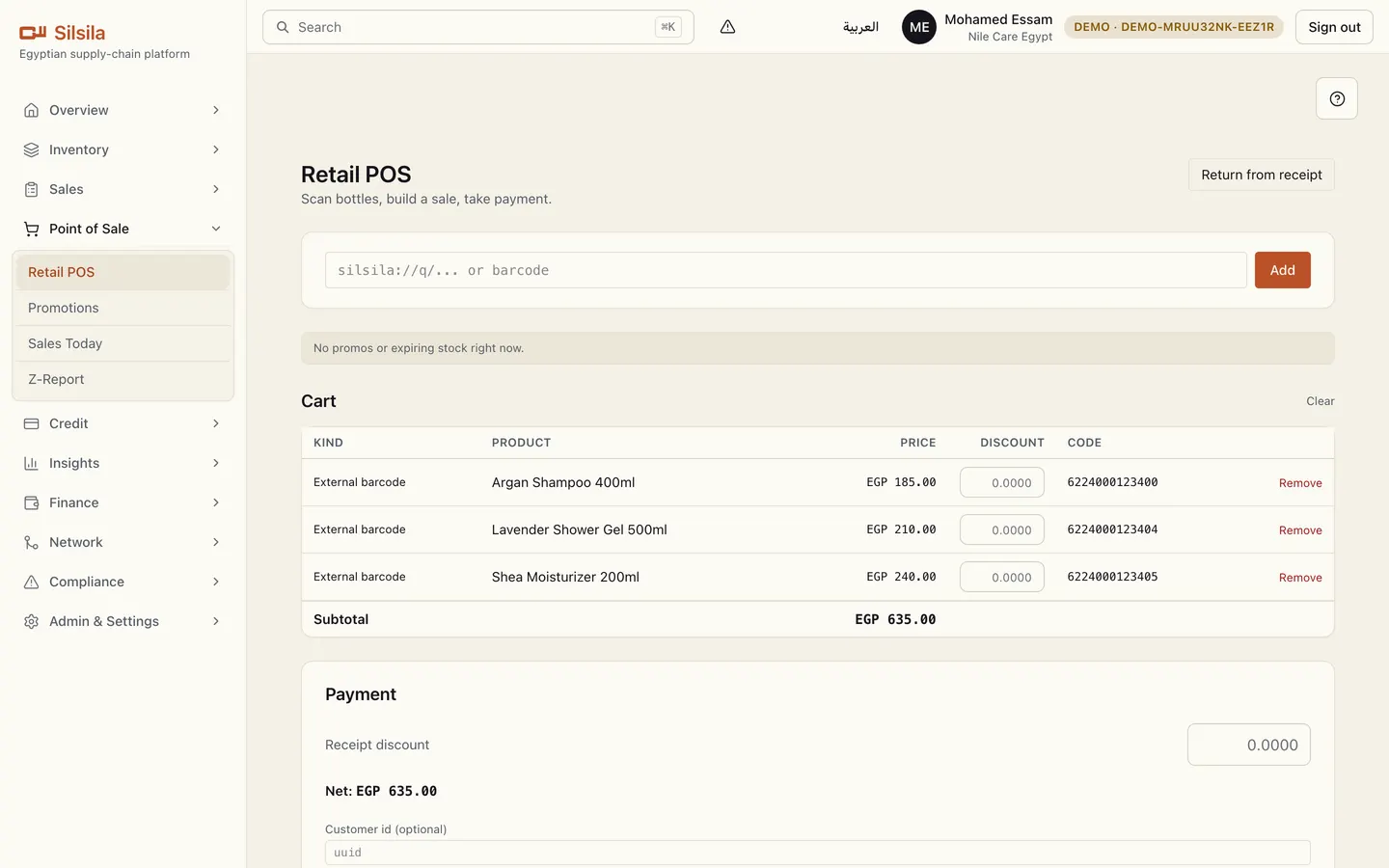
A counter that never waits
- Scan a barcode or QR, the cart prices itself, the receipt prints — no internet needed.
- Any 58mm/80mm thermal printer, USB or Bluetooth — the hardware already in the market.
- Promotions apply themselves at the POS; loyalty customers accrue automatically.
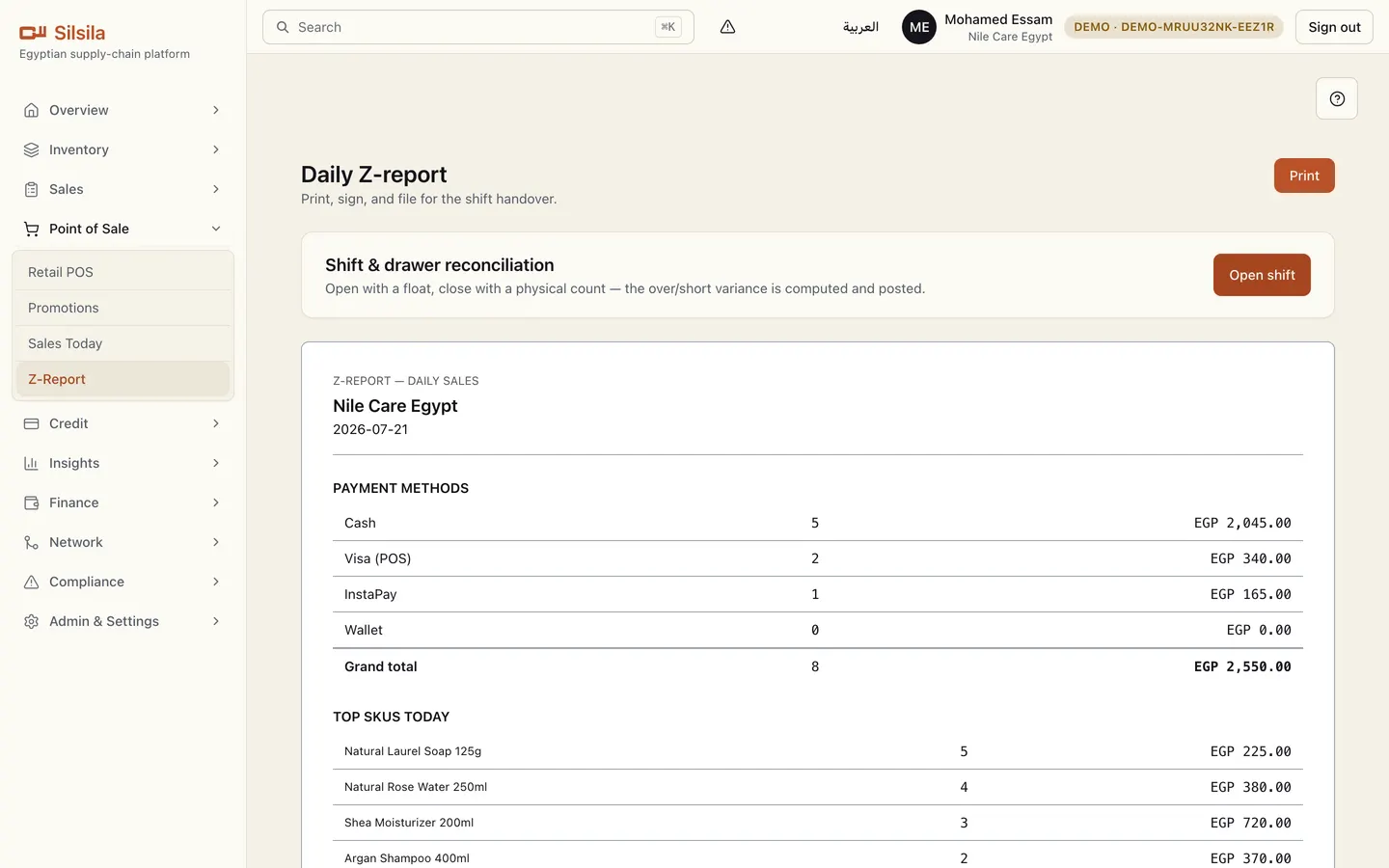
The day closes with proof, not vibes
- The Z-Report breaks the day down by tender: cash, card, InstaPay, wallet.
- Shift matching: open with a float, close on an actual count — the difference is computed and posted.
- Every void and discount leaves a trail — the POS honesty record works for you.
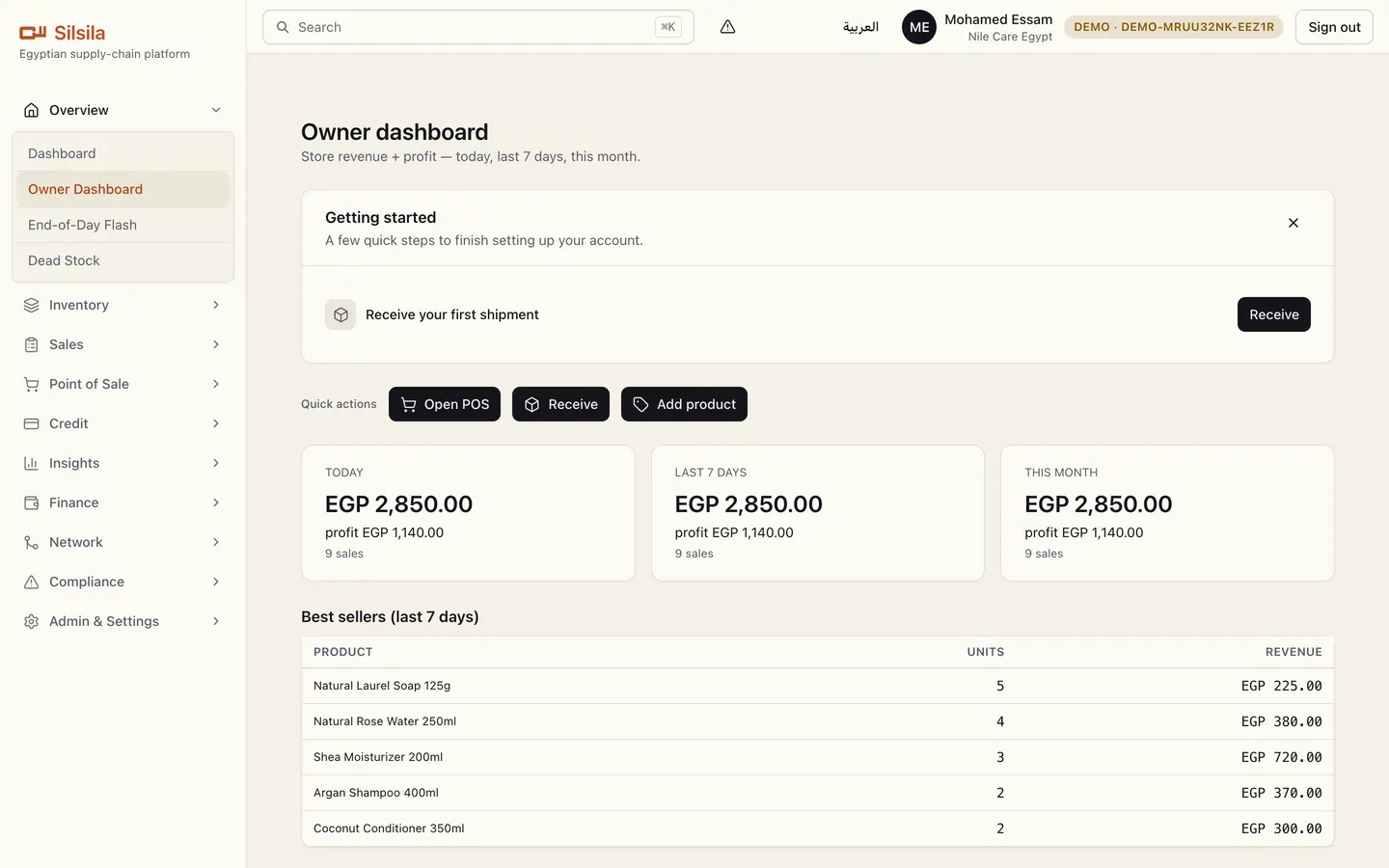
The owner sees everything, from anywhere
- Today's sales, cash in, new receivables, and stock alerts on one owner dashboard.
- Customer credit ('I'll pay tomorrow') tracked with names, amounts, and aging.
- Your own balance with each distributor — receive by scan, return damages, reconcile monthly.
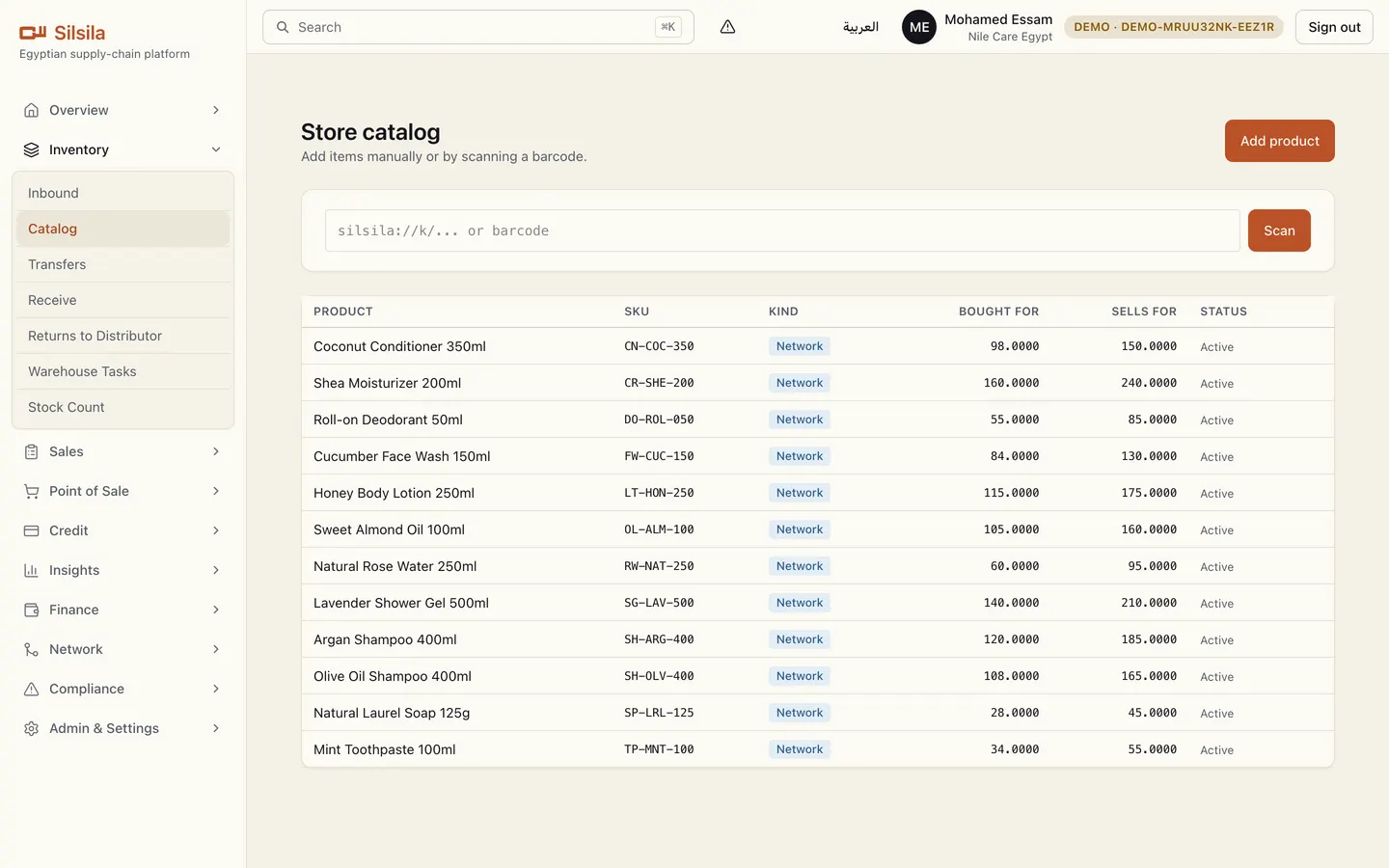
A store that sells while it sleeps
- A public store page on silsilaltd.com: branches, hours, WhatsApp, and your catalog.
- Customers browse and send website orders — you confirm from inside the app.
- Recalled batches are blocked from sale automatically on the next sync.
What closes the deal
Under 5 seconds from scan to printed receipt — measured, not promised.
A power cut never stops a sale: the whole POS runs offline and syncs later.
The drawer difference is computed at shift close — honesty becomes a number.
Your store page takes orders on our domain — no website project needed.
Everything inside the app — screen by screen
Your role ships with 24 working screens. This is the full map, from the app itself.
Overview
- Dashboard
- Your shop's key numbers at a glance.
- Today's Summary
- Today's sales, cash, receivables, voids, and stock alerts in one screen.
- Dead Stock
- On-hand items that have stopped moving or slowed down, ranked by capital tied up.
Inventory
- Inbound
- Scan deliveries in; stock becomes sellable instantly.
- Receive
- Scan incoming deliveries in; stock becomes sellable at once.
- Returns to Distributor
- Send stock back to your distributor and track the credit.
- Stock Count
- Blind physical count by scan — then post the variance against retail on-hand.
Sales
- Orders
- Place and track restock orders to your distributor.
- Website Orders
- Review and fulfil orders coming from your online store.
Point of Sale
- Sales Today
- Watch today's sales as they happen.
Credit
- Debt
- Track customer credit balances and collect repayments.
Insights
- Activity & POS Integrity
- Audit who did what and when; spot voids, discounts, and after-hours POS activity.
Finance
- Treasury
- Manage cash accounts, entries, and transfers for your shop.
- Expenses
- Record and void your shop's operating expenses.
Network
- Inbound Relationships
- Review and accept partner link requests.
- My Suppliers
- See your linked upstream partners.
- Invites
- Invite a partner or join via a link — no more sharing tenant ids.
Compliance
- Notifications
- All alerts and updates in one place.
- Recalls
- Issue or respond to product recalls, traced by lot.
- Expiry Alerts
- See stock approaching expiry before it costs you.
- Disputes
- Open and resolve disputes with trading partners.
- Monthly Reconciliation
- Confirm each month's statement with your partners.
Admin & Settings
- Hardware
- Pair and test printers and scanners.
- Billing
- Manage your plan, seats, and subscription invoices.
The counter is fast. The drawer is honest. The owner sleeps.
14-day free trial, no card. Runs on the PC you already have.
Start 14-day trial